We’ve all been there: you notice a random $9.99 charge on your bank statement and realize you forgot to cancel that "free trial" from three months ago.
Apple makes it relatively easy to manage subscriptions, but if you don't know exactly where to look, it can feel like a maze. Here is the fastest way to find them.
The Quick Method
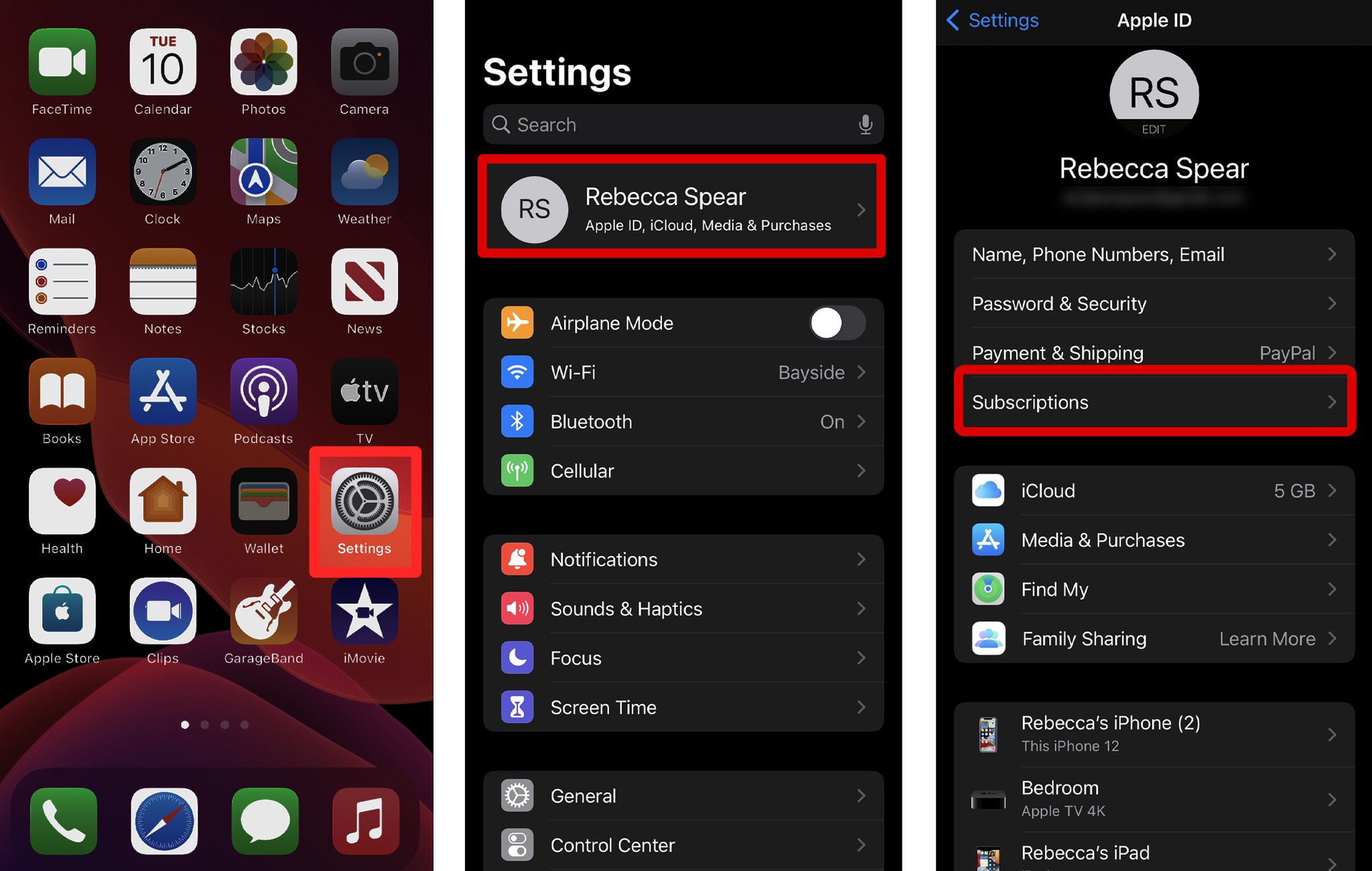
- Open the Settings app.
- Tap your Name/Apple ID at the very top.
- Tap Subscriptions.
From here, you’ll see a list of every active and expired subscription tied to your Apple ID. Just tap the one you want to kill and hit "Cancel Subscription."
The "Hidden" Subscription Trap
Here is the problem: Your iPhone settings only show you subscriptions paid through the App Store.
If you signed up for Netflix, Spotify, or a professional tool directly through their website using your credit card, it will not show up in your iPhone settings. These are "Shadow Subscriptions"—they hit your bank account every month, but they stay invisible on your phone’s dashboard.
How to Find the Ones Your iPhone Misses
To find the subscriptions that Apple doesn't track, you have to go to the source: your inbox.
Most companies are legally required to send a receipt or a "renewal notice" to your email. If you want to find the "hidden" leaks, search your email for:
subject:"Receipt"subject:"Renewal"subject:"Statement"
Let the App Do the Heavy Lifting
Searching through thousands of emails manually is a massive time-sink. That’s why I built GhostSweep.
While your iPhone only shows you Apple-approved apps, GhostSweep performs a deep audit of your digital shadow (Gmail and Outlook) to map out every recurring charge—whether it was bought on an iPhone, an Android, or a web browser years ago.
Stop the invisible leaks. Your iPhone shows you the tip of the iceberg; GhostSweep gives you the full map of where your money is going.