If you’ve ever tried to get your finances in order, you’ve probably heard of Rocket Money. It’s a powerhouse for tracking bank statements and negotiating bills.
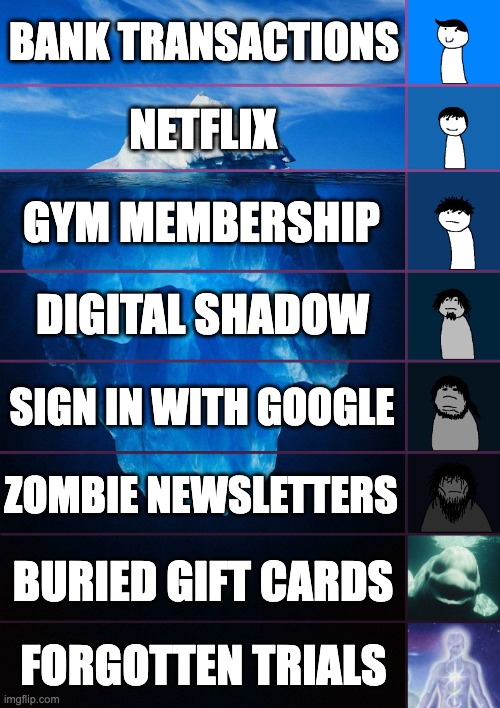
But as the "Subscription Economy" gets more complex, a new problem has emerged: The Bank Statement Gap.
Many "Zombie Subscriptions" don't show up clearly on a bank statement until it’s too late. If you’re trying to decide which tool is right for you, here is the breakdown of how they actually work.
How Rocket Money Works (The Bank View)
Rocket Money connects to your bank account via Plaid. It looks at your transactions and tries to identify recurring patterns.
- The Strength: It’s great for big, obvious bills like your phone plan or car insurance.
- The Weakness: It only sees what has already been charged. It can’t warn you about a "Free Trial" that is about to expire tomorrow, and it often struggles to identify vague statement codes like "STRP* 12345."
How GhostSweep Works (The Inbox View)
I built GhostSweep to solve a different problem. Instead of looking at your bank, the app performs a deep audit of your Digital Shadow—the trail of receipts, confirmation emails, and account sign-ups living in your Gmail or Outlook.
Why the "Inbox View" finds more:
- The "Pre-Charge" Warning: GhostSweep finds the "Welcome to your 7-day trial" email. This allows you to kill the subscription before the money leaves your bank.
- Identifying the "Vague" Charges: Your bank might just say "Purchase #9822," but your inbox has the itemized receipt. GhostSweep connects those dots.
- The "Account" Audit: Many accounts don't charge you monthly, but they still hold your data (and your potential for a future charge). GhostSweep maps every account you’ve ever opened, not just the ones currently billing you.
Which One Do You Need?
Use Rocket Money if:
- You need help negotiating your cable bill or monitoring your overall credit score.
- You want a high-level view of your monthly spending categories.
Use GhostSweep if:
- You want to find "Ghost Charges" and trials before they hit your card.
- You need to map out every account you've ever opened (even the non-paying ones).
- You want to batch-unsubscribe from newsletters and "Attention Taxes" while you’re at it.
The Verdict
The reality? Most founders and high-performing professionals use both. Rocket Money watches the "outflow" of cash, while GhostSweep cleans up the "Digital Footprint" that creates those charges in the first place.
Don't wait for a mystery charge to show up on your statement. Map your digital shadow and find the receipts before they turn into "Zombie Subscriptions."