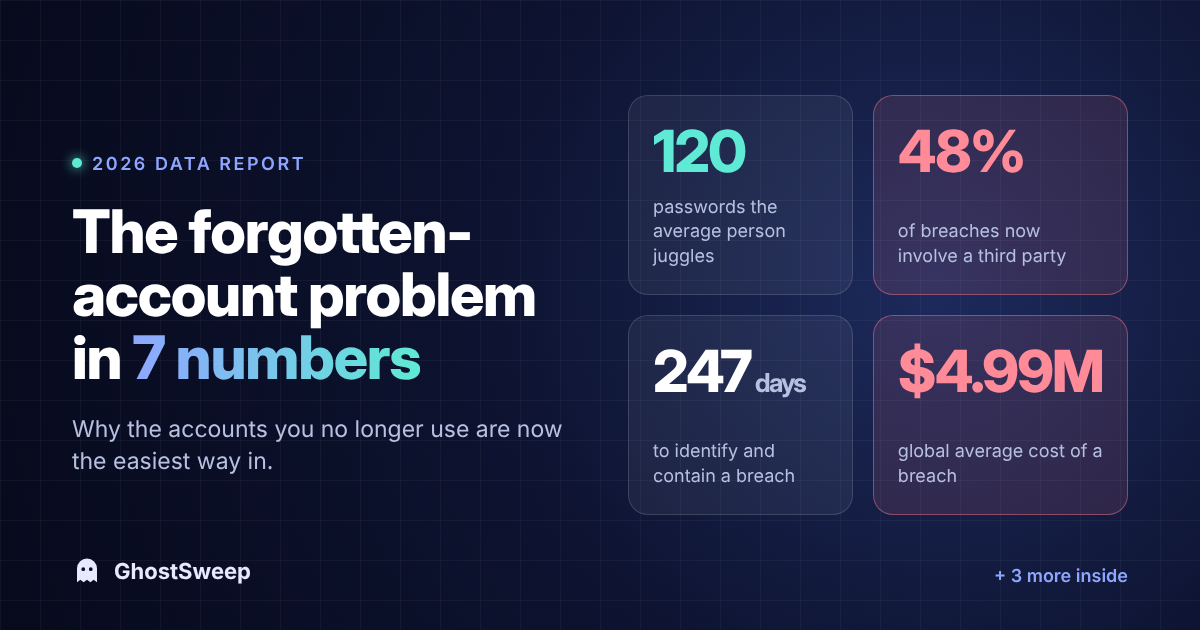
Most people think of their online risk in terms of the apps on their phone. The real exposure is everything you signed up for and walked away from: the store you bought one thing from in 2017, the free trial you never cancelled, the forum you used for a month.
This year's big security reports don't track forgotten accounts as a category. But read them with that lens and the picture is clear. Here are seven numbers worth knowing.
1. 120: the average number of personal passwords
In April 2026, NordPass surveyed 1,509 users and found the average person manages about 120 personal passwords, plus around 67 work passwords.
That's the number of accounts people know about. It doesn't count the ones created with "Sign in with Google," the ones from a decade-old email address, or the ones you made once and forgot. Your real number is almost certainly higher.
Why it matters: every one of those accounts holds some mix of your name, email, address, birthday, purchase history, or payment details. You can't protect what you can't list.
2. 48%: breaches that involved a third party
The 2026 Verizon Data Breach Investigations Report found that 48% of breaches involved a third party, up from 30% a year earlier.
Your data rarely leaks from the place you think of as "the company." It leaks from their vendors, contractors, and partners. A service you stopped using five years ago is still sharing your data with partners you never heard of, and any of them can get breached.
Why it matters: deleting an account is the only reliable way to take your data out of that chain. Ignoring it doesn't.
3. 39%: breaches where stolen credentials played a part
In the same report, credential abuse was the first step in 13% of breaches. Counted across every stage of an attack, it showed up in 39%. Credentials were also among the compromised data in 28% of breaches.
Old accounts are where credential reuse hurts most. That password you used in 2016 got recycled across a dozen sites. When one of those sites leaks, attackers try it everywhere else.
Why it matters: an old account with an old, reused password is an open door, even if you never log in to it again.
4. 73%: ransomware victims with a prior credential leak
Verizon also found that 73% of ransomware victims had an infostealer infection or credential leak tied to them within the year before the attack, and half of those happened within 95 days of it.
That stat is about organizations, but the lesson applies to people too: leaked logins are rarely the end of the story. They're the setup for what comes next.
Why it matters: the gap between "your email showed up in a breach" and "someone used it" can be weeks, not years.
5. 52%: breaches that exposed customer personal data
According to IBM's 2026 Cost of a Data Breach findings, customer personally identifiable information (names, emails, addresses, phone numbers and more) was involved in 52% of breaches.
When a company you forgot about gets breached, this is the data that walks out the door. It's also exactly what data brokers and scammers want.
Why it matters: the less a company holds about you, the less there is to leak.
6. 247 days: how long a breach takes to find and contain
IBM's 2026 data puts the average time to identify and contain a breach at 247 days, about eight months.
For a service you actively use, you'd probably notice something odd: a password reset you didn't request, a strange order. For an account you forgot, nobody is watching. The breach notice, if it comes at all, goes to an inbox you might not check.
Why it matters: forgotten accounts give attackers the one thing they want most, which is time.
7. $4.99 million: the average cost of a breach
IBM puts the global average cost of a breach at a record $4.99 million in 2026, and $11.5 million in the US.
You don't pay that bill directly. But you pay in password resets, fraud disputes, credit freezes, phishing emails that know your name, and hours on the phone.
Why it matters: companies keep collecting data because storing it is cheap for them. Cleaning up is how you shift the cost back.
What to do with these numbers
You don't need to become a security expert. You need a list, and a habit.
- Find your accounts. Search your inbox for "welcome," "verify your email," and "your receipt," or follow our manual method for finding every account.
- Check for breaches. Look up each email address you've ever used. If one shows up, follow this step-by-step breach checklist.
- Delete what you don't use. Start with anything holding payment details, then shopping, then social. Our guide to deleting old online accounts covers the common blockers.
- Change reused passwords on whatever you keep, and turn on two-factor authentication.
If doing this by hand sounds like a weekend, GhostSweep scans your inbox, lists the companies that have your data, flags known breaches, and points you to each deletion page. The scan takes about two minutes.