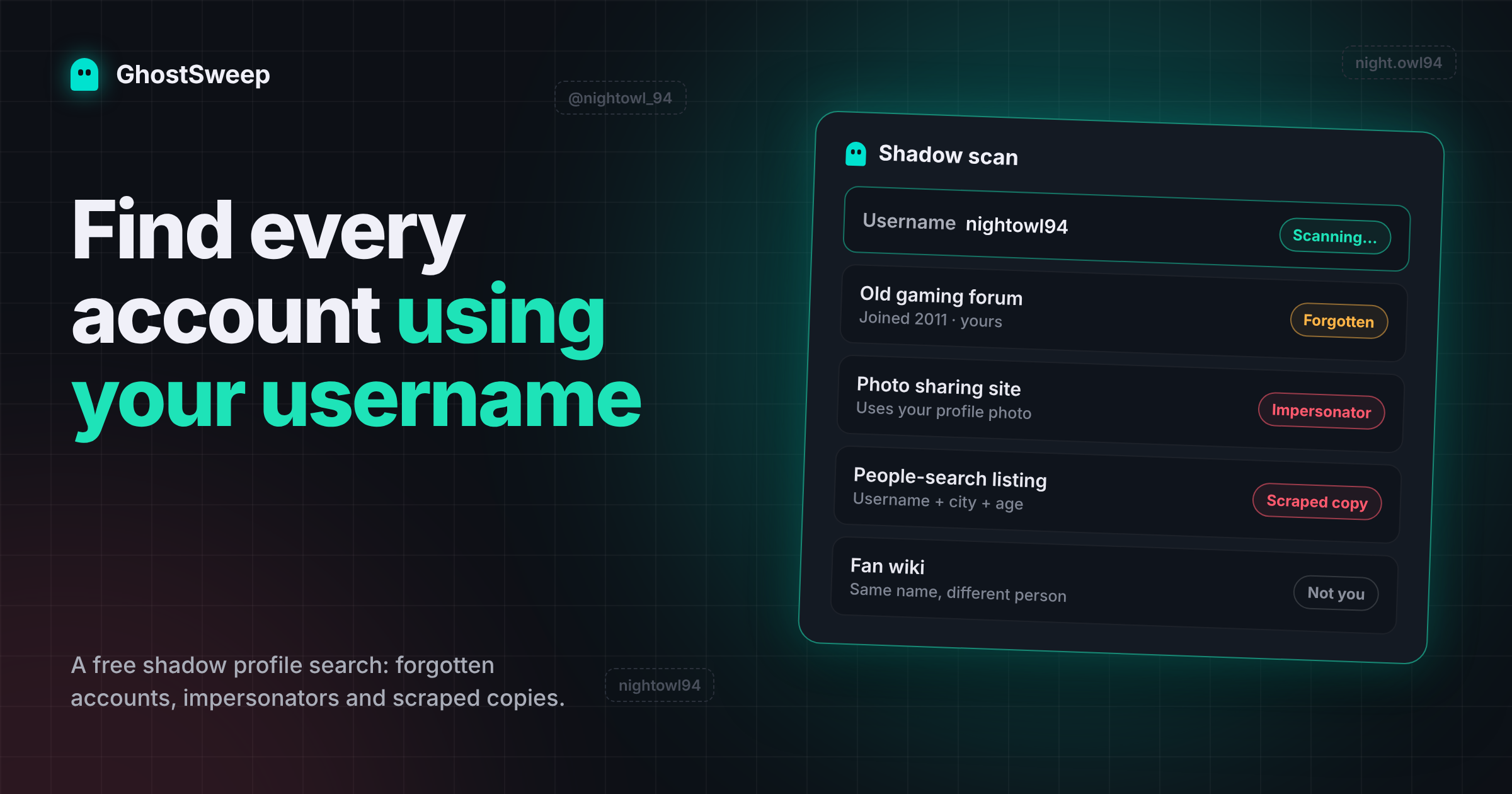
Your email isn't the only thing tying your accounts together. Your username does too.
If you've used the same handle since your first forum account, it now links your gaming profiles, old Reddit posts, a photo site you tried in 2015 and the account you made for one online order. Anyone who searches that name can follow the trail.
That trail is part of your shadow profile: everything tied to your email, phone or username that you've forgotten, never created, or can't see. This guide shows you how to find the part tied to your usernames and clean it up.
One rule before you start: search your own usernames. These methods work on anyone's, which is exactly why it's worth seeing what others can see about you.
What a username search finds
A username search turns up three kinds of profiles:
- Accounts you made and forgot. Old forums, games, apps and sites you signed up for once.
- Accounts posing as you. Fake profiles using your name, handle or photos.
- Scraped copies. Aggregator and people-search sites that list your username next to other details about you. Our guide to what data brokers know about you explains where these come from.
This is different from scanning your inbox. An inbox scan finds accounts registered to that email address. A username search finds public profiles, including ones you signed up for with an email you no longer have. For a full picture, you need both. (If you've lost track of old addresses, start with how to find old email accounts in your name.)
Step 1: List every username you've used
Most people have more handles than they think. Write down:
- Your main handle and its variations: with numbers, underscores, dots or a birth year.
- Old gaming tags and console names.
- Old messenger names from MSN, AIM, Skype or ICQ.
- The first half of your email addresses. The part before the @ often doubles as a username.
- Professional handles you use for work.
Your password manager helps here. Sort saved logins by username and note every one that isn't an email address.
Step 2: Search Google the right way
A plain search for your username returns a mix of noise. These searches are sharper (swap in your own username):
"yourusername"
"yourusername" -site:instagram.com -site:x.com
site:reddit.com "yourusername"
"yourusername" (inurl:profile OR inurl:user OR inurl:member)
The quotes force an exact match. The second line hides the accounts you already know about, so new ones stand out. The last line finds member pages on forums and community sites.
Try the same searches on Bing and DuckDuckGo. They index sites differently and often turn up old profiles Google has dropped.
Step 3: Run a username scan
Searching sites one by one takes hours. A username scanner checks hundreds of sites at once:
| Tool | Cost | What it does | Good to know |
|---|---|---|---|
| GhostSweep shadow scan | Free: 3 scans a day, no account needed | Searches hundreds of sites for profiles tied to a username, with an optional email. Results are cross-checked against known breaches and risk-scored. | The deep-web shadow profile search, deletion links and PDF report come with the Buster Pass ($12.99 once) or Pro. |
| WhatsMyName | Free | Open-source web app that checks hundreds of sites for a username. | Shows matches only. No breach check or clean-up tools. |
| Sherlock | Free | Open-source command-line tool that checks hundreds of sites. | You need to install Python and run it from a terminal. |
| Username availability checkers | Free | Show where a name is already taken. Built for registering brand names. | "Taken" only means someone has that name, not that it's you. |
Treat every result as a lead, not proof. A match means an account with that name exists. If your username is common, many matches won't be yours. Open each one and check for your photo, your real name, your writing or anything you recognise.
Step 4: Search for your profile photos
Usernames change; profile photos often don't. A reverse image search finds where your pictures appear, including on accounts that aren't yours.
Upload the profile photos you've used most to:
- Google Lens (in Chrome or the Google app)
- Bing Visual Search
- TinEye
If your photo shows up on a profile with a different name, that's a sign of impersonation.
Step 5: Sort what you find
Go through your results and decide what to do with each one:
| What you found | What to do |
|---|---|
| Your account, still in use | Keep it, but give it a unique password and turn on two-factor authentication. Remove details you don't want public. |
| Your account, forgotten | Delete it. Our guide on how to delete old online accounts covers the steps, and here's why the delete button is so hard to find. |
| Your account, but you can't log in | Use the site's password reset. If it goes to an old email, recover that inbox first. If that fails, email the site's support and ask them to delete it. |
| Someone else, same username | Ignore it, unless it's posing as you. |
| An account impersonating you | Report it with the platform's impersonation form. Instagram, Facebook, X, TikTok and LinkedIn all have one. Save screenshots first. |
| A scraped listing on an aggregator or people-search site | Request removal. Our data broker opt-out guide shows how. |
Step 6: Stop your usernames linking everything
Once you've cleaned up, make the trail harder to follow:
- Use different usernames for different parts of your life. Gaming, professional and personal accounts shouldn't share a handle.
- Don't reuse your email address as a username. It links every profile straight back to your inbox.
- Rename old handles on accounts you keep but don't want connected to the rest.
- Re-scan twice a year. New scraped copies appear over time. GhostSweep Pro re-scans the shadow web weekly and alerts you when something new shows up.
FAQ
Is it legal to search for accounts by username? Searching public profiles is generally legal. Use these tools to check your own footprint. Using them to track or harass someone else can break the law and the tools' terms.
Why does a username search show accounts that aren't mine? Usernames aren't unique across the internet. If your handle is short or common, other people will have it on sites you've never used. Check each result for your photo or details before acting on it.
Can I find accounts by username for free? Yes. Google searches, WhatsMyName, Sherlock and GhostSweep's free shadow scan all cost nothing. Paid tools add breach checks, risk scores, deletion help and ongoing monitoring.
What's the difference between a username scan and an inbox scan? An inbox scan finds accounts registered to your email, including private ones like shopping and banking. A username scan finds public profiles that use your handle, including ones made with an email you've lost. Together they cover most of your footprint.
What is a shadow profile? It's the part of your online presence you can't easily see: forgotten accounts, profiles made in your name, and data other companies have collected about you. Our beginner's guide to mapping your digital shadow covers it in more depth.